
Engagement & Consent UX
AdPriva reimagines consent. Instead of intrusive cookie banners, every page includes a simple toggle that lets users choose:
- OFF (default) → no tracking, no proofs generated.
- ON → consented engagement, recorded as verifiable proofs.
This turns consent into a visible, valuable and verifiable choice.
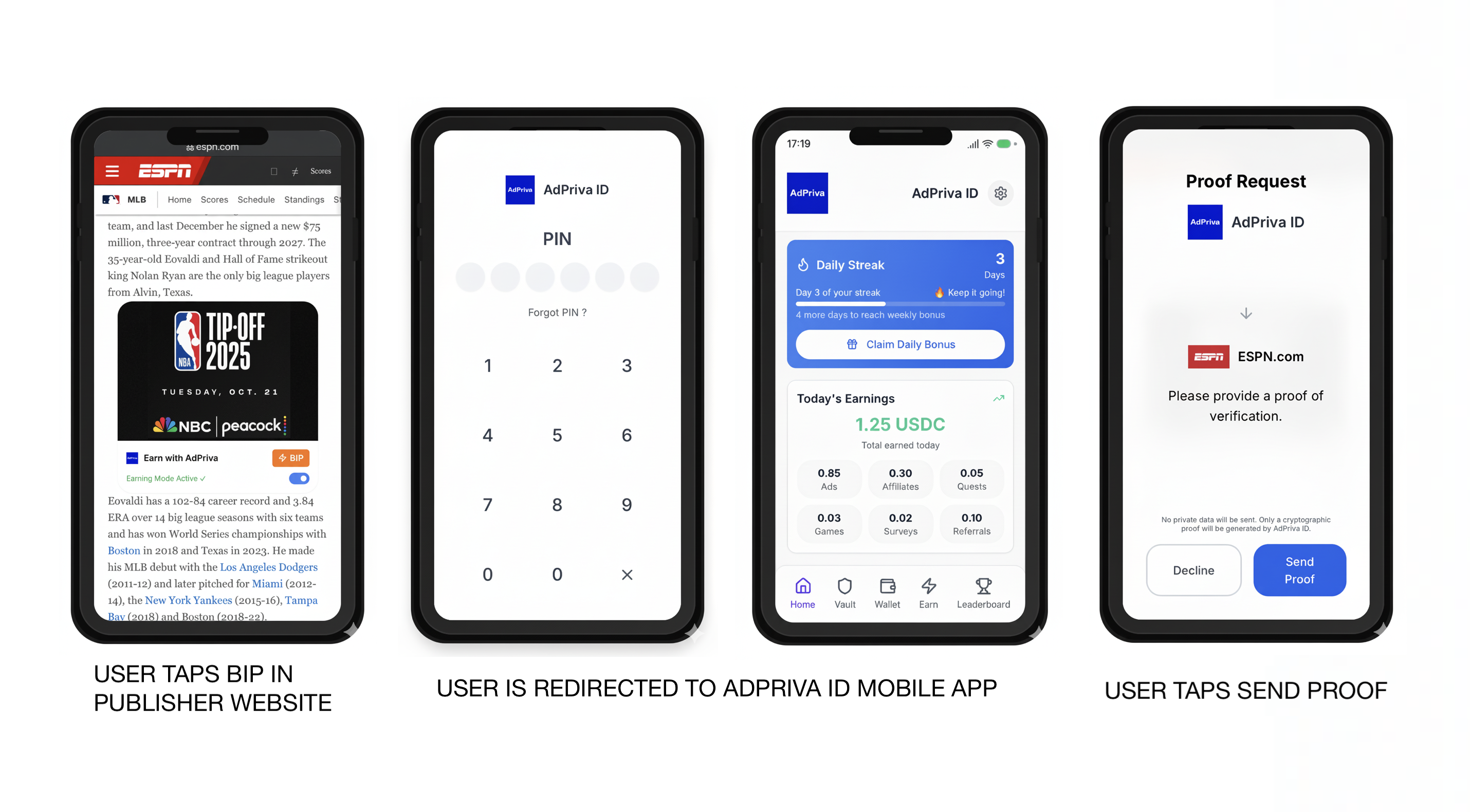
How It Works
- Consent Toggle
- OFF (default) → No tracking and no proofs. The user stays completely passive.
- ON → User taps the toggle → the AdPriva ID App opens for verification.
- Verification in App
- A Consent Receipt (part of AdPriva’s proof system) is generated and logged in the Explorer.
- Proof-Backed Engagement
- Interactions are recorded only in approved categories.
- Each genuine interaction generates ViewProofs / ClickProofs.
- Anchoring
- Every proof is anchored on-chain and independently verifiable in the Explorer.
- Revocation
- User flips the toggle OFF anytime → proof generation stops instantly, with no residual tracking.
Consent States
| Toggle State | Tracking | Proofs Generated | User Control |
|---|---|---|---|
| OFF (default) | None | None | Full privacy, no consent required |
| ON + Verified | None (cryptographic only) | Consent Receipts, ViewProofs, ClickProofs | Revocable anytime, fully transparent |
Privacy & Control
- Default Privacy → OFF = no tracking, no consent required.
- Cryptographic Consent → ON = Consent Receipts generated, pseudonymous only.
- Revocable Anytime → Toggle OFF = no further proofs.
- Transparent by Design → Every toggle logged in the ID App + Explorer.
With the consent toggle, AdPriva replaces cookie banners with a real choice: stay completely private or opt in to verifiable, proof-backed engagement.